R6 Marketplace Skins: 2026 Smart Buy Sell Skins
Rainbow Six Siege players love customizing their operators with unique cosmetics. The official R6 Marketplace Skins system now lets you trade directly with the community
Your independent hub for buying, selling and trading Rainbow Six Siege skins.
The R6 Marketplace is Ubisoft’s official platform for buying, selling and trading Rainbow Six Siege cosmetics for R6 Credits. No real-money cash-out, no peer-to-peer payments, no gameplay advantage just skins, charms, uniforms and headgear changing hands through an order-book system Ubisoft runs in house. This page is the full reference: what the marketplace is, exactly how buying, selling and trading work, what your skins are worth, how the December 2025 outage unfolded, and the one thing every player keeps searching when it’s coming back.
It’s Ubisoft’s own trading system built into Rainbow Six Siege, made so players can swap cosmetics without touching shady third-party sites. You list a skin you own, another player buys it, and you’re paid in R6 Credits Ubisoft’s premium currency. That’s the entire loop. Nothing you trade affects gameplay: a Black Ice MP5 fires exactly like a default one, with the same recoil, the same damage, the same everything. You’re trading looks, not power.
The system covers a wide slice of the game’s cosmetics. Weapon skins, operator uniforms, headgear, weapon charms, attachment skins, drone and gadget skins, and operator card portraits can all move through it, as long as the specific item is marked tradable. Items pulled from Alpha Packs and Bravo Packs over the years finally have a second life here, instead of sitting locked in one account forever.
What sets it apart from every fan-made trading hub is who runs it. This is first-party Ubisoft infrastructure, tied to your Ubisoft account and protected by the same login and security layer as the rest of the game. There’s no stranger to pay, no Discord middleman, no “you go first” standoff. The marketplace handles the match and the payout automatically.
The marketplace didn’t appear overnight. Ubisoft announced it during the Operation Deep Freeze reveal in late 2023, then opened a closed beta in Year 8 Season 4 (early 2024) for a small set of accounts. Access widened in waves over the following year, reaching roughly 200,000 players before the gates opened wide.
The full public launch landed on 10 June 2025, bundled into Siege X the free-to-play relaunch and the biggest content overhaul in the game’s decade-long run. After years of players asking for an official way to trade cosmetics, the marketplace shipped as a permanent fixture of the Siege economy. It ran cleanly for about six months before December’s exploit knocked it offline, where it still sits today.
Prices on the marketplace aren’t fixed by Ubisoft. They’re set by players through an order book, the same structure a stock exchange uses. Two sides post their intentions:
A sale fires the instant those two numbers cross. The engine always fills at the best available price for the buyer, pulling from the lowest matching sell order first. Set a buy order at 800 Credits for a skin someone’s listing at 650, and you pay 650 the system never makes you overpay just because your ceiling was higher.
That single rule shapes everything about how you should price. For sellers, the takeaway is blunt: the cheapest listing sells first. For buyers, it means your order may sit unfilled until a seller drops to your price, or fill immediately if cheap stock already exists.
R6 Credits are the only currency the marketplace accepts. Renown the currency you grind by playing matches does nothing here. You can buy Credits directly from the Ubisoft Store, and the pack pricing in USD looks like this:
Credit pack | USD price | Per-Credit value |
600 Credits | $4.99 | baseline |
1,200 Credits | $9.99 | baseline |
2,670 Credits | $19.99 | ~10% better |
4,920 Credits | $34.99 | ~15% better |
7,560 Credits | $49.99 | ~20% better |
16,000 Credits | $99.99 | ~25% better |
Bigger packs stretch your dollar further, which matters if you’re buying a high-value skin and want to top up efficiently. For reference, seasonal operators cost 600 Credits, and most individual cosmetics in the in-game shop run between 100 and 1,200 Credits. Confirm current pricing on the Ubisoft Store before you buy, since regional pricing and sales shift the numbers.
One hard line worth stating early: Credits flow in, never out. You can spend real money to get Credits, and you earn Credits by selling skins, but there is no path back to cash. Anyone promising a real-money cash out is operating outside Ubisoft’s terms.
Buying is the simpler half of the system. The steps:
The thing to internalise: your price is a ceiling, not a fixed cost. The engine hunts for the lowest match, so you frequently pay less than you offered. If nothing’s listed near your number, your order parks in the book until supply shows up. Our full Buying on the R6 Marketplace guide covers order depth, patience tactics, and how to avoid overpaying on hyped skins.
Selling has one quirk that catches almost every first-timer, so start with it: your skins won’t appear until you play a match to sync your inventory. Open the marketplace fresh and the sell list looks empty or stale. Queue into a single game, finish it, and your tradable items populate. This trips up more new sellers than any other step.
Once your inventory shows up:
Overpricing is the most common selling mistake. List above the floor and your skin sits untouched while cheaper copies sell around it. The order book has no loyalty it rewards the lowest price, every time. Pricing tactics, undercutting strategy, and timing are all in our Selling on the R6 Marketplace guide.
There’s no direct player-to-player swap on the marketplace. Every “trade” is a sell plus a buy routed through the order book. You sell what you don’t want for Credits, then spend those Credits on what you do want. The two halves are separate transactions.
Flipping buying low to sell higher runs into a built-in brake. A bought item is locked for roughly 15 days before you can relist it. That hold exists to stop rapid wash-trading and price manipulation, and it means flipping is a slow game measured in weeks, not minutes. There are also active-order limits and daily caps on how much you can have in motion at once, so you can’t flood the book with hundreds of listings.
Done patiently, flipping works on items where demand outpaces supply. Done impatiently, the 15-day hold and the 10% fee eat your margin. Our Trading on the R6 Marketplace guide runs the actual flip math so you know which items are worth the wait.
You can’t open the marketplace until your account clears a few gates. Check these before anything else:
The inventory itself is cross-platform. Play on console and PC under the same Ubisoft account and you see one shared pool of items, thanks to cross-progression. A skin you earned on PlayStation is sellable from the web portal on any platform tied to that account.
If the marketplace tells you that you can’t trade, the cause is almost always one of the gates above usually a missing level 25, 2FA that isn’t enabled, or a sanction you forgot about. Play a match that grants XP to verify eligibility if your level just crossed the line. Full fixes live in our R6 Marketplace Access & Requirements guide.
Not every item you own can be sold, and the rules around this catch people out. Two filters decide what’s tradable:
Item eligibility. Ubisoft marks specific items as tradable. Plenty of cosmetics promotional items, certain bundle exclusives, some event rewards are locked to your account permanently and never appear in your sell list. If an item isn’t showing, it may simply not be eligible.
The current-season lock. Items from the active season can’t be traded until the next season arrives. This keeps fresh cosmetics from flooding the market the moment they release and protects their early value. Want to sell this season’s new skin? You wait until the following season unlocks it.
Together, these rules mean your sellable inventory is a subset of everything you own often a smaller one than new sellers expect. Our Skin Rarity & Tradability guide breaks down which categories move and which stay stuck.
Skins don’t carry official price tags, but the community reads value through a few signals:
Rarity isn’t a fixed ladder Ubisoft publishes; it’s demand meeting supply. A skin is worth whatever the order book says today, which is why every value on this site is a last-known reference, not a guarantee.
The outage that froze the marketplace wasn’t routine maintenance. On the morning of 27 December 2025, players logged in to find inventories they didn’t recognise. Some accounts showed billions of R6 Credits where there should have been a few thousand. Developer-only skins, never meant for public hands, appeared in lockers. The in-game ban ticker which Ubisoft had quietly switched off in an earlier update started showing fake ban messages that hadn’t come from Ubisoft at all.
The cause was a backend exploit that duplicated roughly 2 billion R6 Credits across the game in a matter of hours. Within about thirty minutes of acknowledging “an incident,” Ubisoft shut down both the game and the marketplace.
A note on naming, since it’s a common mix-up: some early-2026 coverage tied the return to “Operation Twin Shells,” but that was a Year 9 season back in September 2024. The actual Year 11 Season 2 is Operation System Override, and it came and went without the marketplace. Treat any specific reopening date you see online as guesswork until Ubisoft says so directly.
The practical fallout for players: Credits bought with real money have no trading outlet right now, third-party trackers like Stats.CC paused their live data for the duration, and any skin value quoted anywhere is frozen at pre-outage levels. The full play-by-play and live updates sit on our R6 Marketplace Status page.
Last-known reference values, captured before the December outage froze the market:
Skin | Type | Last-known range (R6 Credits) |
Black Ice (common weapons) | Weapon-specific | ~150 – 500 |
Black Ice (high-demand weapons) | Weapon-specific | ~800 – 2,000+ |
Glacier | Universal (Y1S1) | Among the highest on the market |
Obsidian | Universal | Premium tier |
Diamond | Universal | High |
Gemstone | Weapon-specific line | Mid–high, varies by weapon |
As of: pre-27 December 2025. Third-party trackers like Stats.CC paused live data during the outage, so treat every figure as a reference point, not a current quote. Open the full R6 Price Tracker for the complete list and per-weapon breakdowns.
The flagship skin line and the one most players chase. Black Ice is a glossy black-and-white camo that’s appeared on a long roster of weapons over the years the MP5, R4-C, Vector, MP7, MPX, P90, AR33, F2, BOSG.12.2 and SMG-12, plus operator-locked guns like Jäger’s 416-C, Buck’s C8-SFW and Lesion’s T-5 SMG. Value swings hard by weapon. A Black Ice on a meta gun runs many times the price of the same finish on a weapon nobody picks. Common-weapon copies have sat around 150–500 Credits, with high-demand guns pushing past 2,000. The full weapon-by-weapon picture lives on our Black Ice Skins page.
A universal skin from Year 1 Season 1 (February 2016) and one of the rarest items in the entire game. Glacier applies across eligible weapons rather than locking to one, and its age plus that universal reach keep it parked near the top of the price charts. If you missed it back in 2016, the marketplace was the only realistic route to one another reason its return matters to collectors.
Obsidian is a sleek universal option with steady demand, sitting a step below Glacier in prestige. Diamond is another high-value universal finish. Gemstone runs as a weapon-specific line, with value shifting by gun the same way Black Ice does. All three get the full treatment on our Glacier & Obsidian page.
Peacock and similar premium finishes round out the high-end weapon skins players actively hunt. Demand for these tracks the weapon they sit on and how long they’ve been out of circulation.
The marketplace also moves attachment skins finishes for sights, grips and barrels rather than the whole gun. Named ones like Aethereal Flux, World-Class Apparatus, La Leyenda, Elegant Fusion, First Class Burglary, Dark Familiars, Sleek Lethality, Gossamer Demise, Beryl Matrix and Stargazer carry their own small markets. They’re cheaper than headline weapon skins but add up for players chasing a fully themed loadout.
Weapon charms trade too, from the Carbon Cup to creator-tied pieces like the Jynxzi charm. Charm value leans heavily on scarcity and the name attached, since most carry no gameplay weight at all.
The marketplace is a live economy, and a few forces push values around:
Supply and demand. The base driver. When plenty of players hold a skin and few want it, the floor sinks. When a skin is scarce and chased, sellers can hold out for more. Older universal skins win on both counts limited supply, lasting demand.
Liquidity. Popular skins have deep order books, so they buy and sell fast at a predictable price. Obscure items can sit for days because almost nobody’s trading them, which makes their “value” more theoretical than real.
The lowest-match rule. Since the engine always fills the cheapest sell order first, the visible floor price is the one that matters. A single seller undercutting hard can drag the whole market for that item down until their stock clears.
Season cycles. When a season ends and its items unlock for trading, fresh supply hits the book and can soften prices. Collectors watch these windows closely.
None of this makes skins a guaranteed investment. Values rise and fall, hype fades, and a skin that’s hot today can flatten when a new season pulls attention elsewhere. Quote any price as a reference, not a promise including the ones on this site.
Players new to Siege trading often confuse the official marketplace with other systems. Here’s how it lines up:
System | Run by | Real-money cash-out | Risk level | What it’s for |
R6 Marketplace | Ubisoft | No | Low (first-party) | Player-to-player cosmetic trading for Credits |
Bravo store (in-game) | Ubisoft | No | Low | Buying current cosmetics directly from Ubisoft |
Steam Community Market | Valve | Wallet funds only | Low | CS2 / other Valve game skins not Siege |
DMarket & similar | Third party | Yes (varies) | High | External skin trading; minimal real R6 presence |
The Bravo store sells you cosmetics straight from Ubisoft at fixed prices; the marketplace is players trading among themselves at floating prices. They’re different doors. And the comparison people most often reach for Steam Community Market or CS2 skin sites doesn’t really apply, since Siege skins barely register on those platforms and the marketplace deliberately walls itself off from real money. Third-party sites that claim to trade R6 items carry off-platform risk Ubisoft can’t protect you from, including account-share bans and scams.
The marketplace throws a handful of recurring errors. The fixes are usually simple once you know the cause:
“You cannot trade” on login. Almost always an eligibility gate clearance below level 25, 2FA not enabled, or an active sanction. Check all three. If you just hit level 25, play a match that grants XP to verify eligibility.
Your inventory won’t show up. The classic. Skins don’t sync the moment you open the marketplace. Play one full match, then reopen your tradable items populate after the sync.
Your listing never sells. It’s priced above the floor. The engine fills the lowest matching order first, so a copy listed even one Credit cheaper sells ahead of yours. Drop to one under the cheapest active listing to actually move it.
An item isn’t tradable. Either it’s a non-eligible item Ubisoft locked to your account, or it’s a current-season item still under the season lock. Current-season pieces unlock when the next season starts.
Credits frozen in pending orders. During the outage, Credits tied up in open orders sat in limbo. With the marketplace offline, nothing settles until it reopens there’s no manual release.
Getting scammed off-platform. The biggest risk, and entirely avoidable. Any “deal” outside the official marketplace a Discord trade, a lookalike site, an account sale sits beyond Ubisoft’s protection. Stay inside the official system and there’s no stranger to trust.
The official marketplace is about as safe as skin trading gets. Ubisoft runs the whole thing, there are no peer-to-peer payments, and you never hand cash or account details to another player the system matches buyer and seller and handles the payout itself. The danger lives outside the official walls.
Fake “r6 marketplace” lookalike sites, off-platform “deals,” account selling and phishing links are where players actually lose skins and accounts. Selling accounts or cashing out skins for real money breaks Ubisoft’s terms and risks a permanent ban, no matter how clean the offer looks. Chargeback scams and you send first setups round out the list. The rule that keeps you safe is short: if a trade happens anywhere other than the official Ubisoft marketplace, treat it as a risk. Our Is the R6 Marketplace Safe? guide names the common scams and how to spot them.
Rainbow Six Siege players love customizing their operators with unique cosmetics. The official R6 Marketplace Skins system now lets you trade directly with the community
Rainbow Six Siege players on consoles want more control over their cosmetics. They look for rare weapon skins, operator charms, and unique items without wasting
Players keep searching for reliable information about the R6 Marketplace because it dramatically changed how operators trade cosmetics in Rainbow Six Siege. Many wonder what
Is R6 Marketplace Down Right Now? The Answer is Yes. The R6 Marketplace is currently offline, it’s not your account, your clearance level, or your
The R6 Marketplace is currently offline following the 27 December 2025 exploit but it’s coming back, and the access method won’t change when it does.
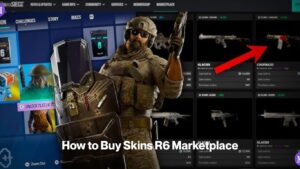
Buying a skin on the R6 Marketplace isn’t like clicking “add to cart.” You place a buy order at a price you’re willing to pay,
Yes. It’s been offline since 27 December 2025, after an exploit duplicated billions of R6 Credits. Ubisoft rolled everything back and confirmed a return “later in Year 11,” but Year 11 Season 2 (Operation System Override, 2 June 2026) arrived without it, and no firm date exists. Check our R6 Marketplace Status page for live updates.
It’s Ubisoft’s official platform for buying, selling and trading Rainbow Six Siege cosmetics skins, charms, uniforms, headgear, attachment skins and card portraits using R6 Credits. It runs an order-book model, takes a 10% fee on each sale, and gives players a safer route than third-party sites. See How the R6 Marketplace Works for the full rundown.
Pick a skin, set the most you’ll pay, and place a buy order. The marketplace fills it at the lowest matching sell price, so you often pay less than your cap. If nothing’s listed near your number, the order waits until a seller comes down. Our Buying guide has the step-by-step.
Open your inventory, choose a tradable item, and set an asking price. Play a match first your skins won’t show up until your inventory syncs. To sell fast, price one Credit under the cheapest active listing, since the system fills the lowest matching order first. More in our Selling guide.
Ubisoft charges a flat 10% on every sale, paid by the seller. List a skin at 1,000 Credits and you keep 900. Our Profit Calculator does the math for any price.
Clearance level 25, 2FA enabled, and no active account sanctions. PC players get in-client and web access; console players use the web portal only. Full details in Access & Requirements.
Your inventory has to sync before items appear. Play one full match, then reopen the marketplace and your tradable items populate. This is the single most common snag for new sellers.
No. Current-season cosmetics are locked until the next season starts. The lock stops fresh items from flooding the market and protects their early value. Once the following season arrives, those items become tradable.
Roughly 15 days. Bought items carry a hold before you can relist them, which slows flipping and blocks rapid manipulation. Factor that window plus the 10% fee into any flip math.
No. Sellers are paid in R6 Credits, and there’s no way to convert those back to cash through Ubisoft. Anyone offering a real-money cash-out is working outside Ubisoft’s terms and putting your account at risk.
Treat them as cosmetics you enjoy, not assets. Values rise and fall with supply, demand and season cycles, and a skin that’s hot today can flatten tomorrow. Every price on this site is a last-known reference, not a promise.
The official marketplace is safe Ubisoft runs it, with no peer-to-peer payments. The risk comes from fake sites, off-platform deals and account selling, all of which can get you scammed or banned. See Is the R6 Marketplace Safe? for the warning signs.
R6marketplace is run by long time Siege players who’ve actively bought, sold and traded on the marketplace since its beta. We source prices from the marketplace’s own order book and reputable trackers, cross-check status against Ubisoft’s official channels, the r/Rainbow6 community and R6Fix bug reports, and date-stamp every page so you know how fresh it is. When facts come from outside sources, we cite outlets that get Siege right rather than the copy-paste sites cluttering this niche. Read more on our About page and our Editorial & Sourcing policy.
Right now there’s nothing to buy or sell the marketplace is still dark. The move that pays off while you wait is learning the system cold so you’re ready the hour it reopens. Start with How the R6 Marketplace Works, get your account past the level 25 and 2FA gates with Access & Requirements, then bookmark the R6 Marketplace Status page so you catch the moment it flips back on. For anything time-sensitive on pricing or availability, confirm against Ubisoft’s official marketplace, since both move.